
Current Page: Home > Products > iPad Transfer Bookmark and Share

iPad Transfer

  • Transfer media files from PC to iPad
  • Copy videos and audio from iPad direct to PC
  • Copy videos and audio from iPad to iTunes (Supports the newest iTunes 10)
  • Newly supports iOS 4.1, iPad firmware 3.2.2 and iPhone 4
$ 29.99$ 34.99
buy iPad Transfer

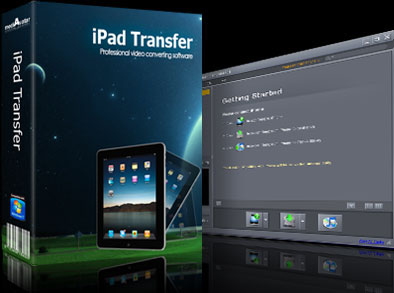
mediAvatar iPad Transfer is a new iTunes alternative for your iPad! This iPad Transfer Program provides fast file backup of iPad to Computer and iPad to iTunes. Once you have mediAvatar iPad Transfer, you can also copy videos, audio and photos from your PC to your iPad directly without iTunes. Moreover, you can also take out videos and music from your iPad and save them on your PC or iTunes with this powerful iPad Transfer and Backup tool.

mediAvatar iPad Transfer can not only applicable to all iPad models (incl. iPad Wi-Fi, iPad Wi-Fi+3G, iPad 16GB, iPad 32GB, iPad 64GB), it can also supports media file transfer between iPad, iPhone (iPhone, iPhone 3G, iPhone 3GS, iPhone 4) and iPod.

Download mediAvatar iPad Transfer for FREE now, it couldn’t be easier!

Overview

  • ipad backup, ipad to computer transfer

    Media file transfer from iPad to computer

    mediAvatar iPad Transfer can easily transfer files form iPad to your computer for backup. From now on, you don’t need to fear the loss of the videos and Music file of your iPad!

  • ipad transfer, ipad manager

    Media file transfer form computer to iPad

    mediAvatar iPad Transfer is much better than iTunes. If you habe this smart program, you can easier copy movies, videos, music and photos from your computer to your iPad without any issues.

  • ipad to itunes 10 transfer

    Media file Transfer from iPad to iTunes

    With mediAvatar iPad Transfer you can also backup your iPad videos and audios to your iTunes library.

  • ipad management software

    All iPad, iPhone and iPod types are supported

    mediAvatar iPad Transfer supports all iPad, iPhone and iPod types: iPad Wi-Fi, iPad Wi-Fi+3G, iPad 16GB, iPad 32GB, iPad 64GB, and even iPhone, iPhone 3G, iPhone 3GS, iPhone 4, iPod touch, and many other iPad models.

Awards:

Features

  • mediAvatar iPad Transfer

    Quick Search and Filter Tools

    Find the iPad media file quickly with the aid of Quick Search and Filter tools available in this iPad transfer.

  • iPad to PC

    Editing of music file information

    With mediAvatar iPad Transfer you can edit music information of your iPad (incl. name, artist, album, composer, and year) to make them easier to manage.

  • iPad to computer

    iPad playlist management

    mediAvatar iPad Transfer can also enable you to create, edit and delete your iPad playlists to your fancy.

  • ipad transferr software

    Two file view modes

    mediAvatar ipad Transfer provides you two mode of viewing you iPad files: list and thumbnails. You can also illustrations to iPad video and music files in thumbnail mode.

  • ipad media manager

    iPad information check

    Identifies your iPad information including model, capacity (used and available space), version, serial number and format for your checking once connected your iPad.

  • ipad to itunes, ipad to pc, pc to ipad

    Transfer iPad files at high speed

    mediAvatar iPad Transfer can transfer media files between ipad, iTunes and PC at extremely high speed.

  • ipad copy software

    Multilingual interface

    mediAvatar iPad Transfer includes English, German, French and Spanish languages.

Reference

Output Devices Supported

iPad Wi-Fi, iPad Wi-Fi+3G, iPad 16GB, iPad 32GB, iPad 64GB
iPhone, iPhone 3G, iPhone 3GS, iPhone 4, iPod touch, iPod
iPhone/iPod touch Firmware 3.2.2 or below
iTunes 9.1 - iTunes 10

Input File Formats Supported

Video H.264, MPEG-4
Audio AAC, AIFF, MP3, WAV, M4A
Image BMP, GIF, JPEG, PNG

SystemRequirements

System Requirements

OS : Microsoft® Windows XP (SP2 or later), Windows Vista, Windows 7
Processor : 1GHz Intel/AMD processor or above
RAM : 512MB RAM (1GB or above recommended)
Free Hard Disk : 50MB space for installation
Graphics Card : Super VGA (800×600) resolution, 16-bit graphics card or higher
Others : iTunes 9.1 or above

Related Products