
Current Page: Home > Products > 3GP Converter Bookmark and Share
3GP video converter, convert videos to 3GP

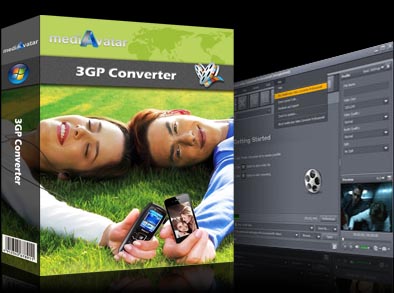
3GP Converter

  • Convert different video formats to 3GP Video
  • Convert between audio formats
  • Convert videos for 3GP devices
  • Pictures to video creator
  • Batch conversion and multithreading
$ 15.99
buy 3GP Converter
Multimedia files are fast evolving and becoming more complex that sometimes lower-end mobile phones cannot keep up with complex video or audio file formats. mediAvatar 3GP Converter lets users convert seamlessly and even clip segments, merge snippets or even create a video from photos. Most popular videos are supported such as AVI, MPEG, WMV, DivX, XviD, MP4, MOV, etc. You can convert AVI to 3GP, MPEG to 3GP and MP4 to 3GP with ease. mediAvatar works very well with Nokia, Motorola, Blackberry, Sony Ericsson, Samsung and among others. Your videos are no longer limited to high-end devices, transform them to 3GP format (plus others) and start sharing!

Download mediAvatar 3GP Converter for free now. It couldn't be easier!

Overview

  • 3gp video converter

    3GP video converter

    The 3GP converter can not only convert video files like MPEG to 3GP, AVI to 3GP, and WMV, MPEG-4 to 3GP format, but also convert 3GP video to AVI, MPEG and other video formats.

  • 3gp converter

    Audio converter

    The expert 3GP converter, acting as audio converter, can also convert diverse video and audio formats to MP3, AAC and M4A audios.

  • convert videos to 3gp

    Pictures to video creator

    Load all your treasured photos into the 3GP converter, and make them into a video for watching photos on your phone like a slideshow.

  • 3gp video converter

    Batch conversion and multithreading

    Support batch conversion and multithreading to convert several tasks at one time in high speed.

  • mediAvatar 3GP Video converter

    High speed and top quality to convert video

    This 3GP video converter converts files at high speed while still maintaining smooth CPU process.

Awards:

Features

  • Output various files from one

    Alter one file to output to several different formats simultaneously.

  • Split and trim video

    Split one file into several segmented files by setting split size, duration or convert just a certain segment by specifying the start and end time of the clip.

  • Compress video with Bitrate Calculator tool

    Get exact output file size by using the bit rate calculator.

  • Custom output format

    Choose from a list of available file formats and settings or modify a setting and save as your own.

  • Preview video and capture screen

    Preview the video before conversion; take snapshots of scenes you like and save as picture file.

  • Run in background

    Run 3GP Converter in the background to save resources or to do other tasks without slowing your computer down.

  • After done actions

    Set an action to automatically hibernate, stand by, exit, shut down or do nothing after a task is done to avoid waiting in between tasks.

Reference

Output Devices Supported

General 3GP mobile phone, BlackBerry, etc.

Input File Formats Supported

Video AVI, MPEG, WMV, MP4, FLV, MKV, H.264/MPEG-4, DivX, XviD, MOV, M4V, VOB, ASF, 3GP, 3G2, SWF, H.261, H.264, DV, DIF, MJPG, MJPEG, DVR-MS, NUT, QT, YUV, DAT, MPV, NSV
AVCHD Video (*.mts, *.m2ts), H.264/MPEG-4 AVC (*.mp4), MPEG2 HD Video (*.mpg; *.mpeg), MPEG-4 TS HD Video (*.ts), MPEG-2 TS HD Video (*.ts), Quick Time HD Video (*.mov), WMV HD Video (*.xwmv), Audio-Video Interleaved HD Video (*.avi)
Audio MP3, WMA, AAC, WAV, CDA, OGG, FLAC, APE, CUE, M4A, RA, RAM, AC3, MP2, AIFF, AU, MPA, SUN AU Format
Image BMP, GIF, JPEG, PNG

Output File Formats Supported

Video AVI, MPEG, WMV, MP4, FLV, H.264/MPEG-4, DivX, XviD, MOV, RM, ASF, 3GP, 3G2, SWF, VOB, TS, DV H.264/MPEG-4 AVC (*.mp4), MPEG2 HD Video (*.mpg; *.mpeg), MPEG-4 TS HD Video (*.ts), MPEG-2 TS HD Video (*.ts), Quick Time HD Video (*.mov), WMV HD Video (*.wmv), Audio-Video Interleaved HD Video (*.avi)
Audio MP3, WMA, AAC, WAV, OGG, FLAC, APE, M4A, RA, AC3, MP2, AIFF, AMR, SUN AU Format
Image BMP, GIF, JPEG, PNG

SystemRequirements

SystemRequirements

OS : Microsoft® Windows XP (SP2 or later), Windows Vista, Windows 7
Processor : 1GHz Intel/AMD processor or above
RAM : 256MB RAM (512MB or above recommended)
Free Hard Disk : 30MB space for installation
Graphic Card : Super VGA (800×600) resolution, 16-bit graphics card or higher

Related Products