
Current Page: Home > Products > MOV Converter Bookmark and Share

MOV Converter

  • MOV to AVI video converter
    MOV to audio converter
    Picture to video converter
    Batch conversion and multithreading


$ 25.99$ 29.99
buy MOV Converter

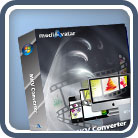
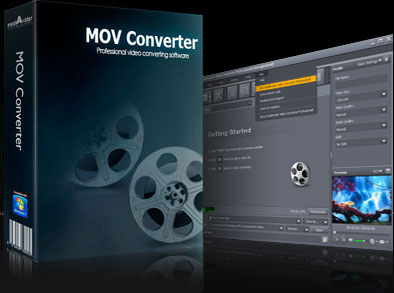
It is now possible to view Apple QuickTime (MOV) videos on any device (portable, consoles, mobile phones, players) when converted with mediAvatar MOV Converter. With a variety of video or audio formats to choose from, it is nearly impossible that MOV videos would limit your viewing options, especially if you want to view them on other players not supporting MOV formats. Not only does mediAvatar convert, but it it also gives users the option to edit and create personalized settings to media files before conversion.

Download mediAvatar MOV Converter for free now. It couldn't be easier!

Overview

  • mov converter, convert mov to avi

    MOV to video converter

    Convert Quick Time MOV video files to AVI, MPEG-1, MPEG-2, DivX and other videos as MOV to AVI converter, MOV to WMV converter, MOV to MPEG converter, etc.

  • mov converter, convert mov files

    MOV to audio converter

    Convert Quick Time MOV to MP3, AAC, WMA and WAV audio, and enjoy the amazing movie music.

  • convert mov files, convert mov to avi

    Picture to video converter

    This powerful MOV video converter can creates AVI, MPEG and WMV video from GIF, PNG, BMP and JPG pictures, and play the photo video like a slideshow.

  • mov converter, convert mov to avi

    Batch conversion and multithreading

    This MOV file converter supports batch file conversion and multithreading to convert multiple MOV files at one time to save conversion time and speed up the conversion.

Awards:

Features

  • mediAvatar MOV Converter

    Optimize output format

    The MOV converter allows users to modify variable parameters like codec, frame rate and bit rate, and save a modified profile as a new one for future use.

  • mediAvatar MOV Converter

    Output several formats from one file

    Get many files with the same content but different formats or settings, you can add multiple profiles to the source file and convert simultaneously.

  • mediAvatar MOV Converter

    Convert file segment

    Clip a certain segment by setting the start time and duration of the clip.

  • mediAvatar MOV Converter

    Define file size

    A smart bit rate calculator helps users compute for a specific file size just by inputting the preferred output volume.

  • mediAvatar MOV Converter

    Split file

    If a file is too large, the MOV to AVI converter lets you split it into several small files by customizing the split time or file size.

  • mediAvatar MOV Converter

    Run the MOV converter in background

    The MOV file converter can be run in background with less CPU consumption, plus it lets users do other tasks simultaneously.

  • mediAvatar MOV Converter

    Set after done action

    Set an action (shut down, hibernate, exit, standby) for the software to perform after a task is done to avoid waiting and wasting time.

  • mediAvatar MOV Converter

    Preview and snapshot

    Take a snapshot of certain scenes and save as picture files while previewing video on the built-in player.

Reference

Input File Formats Supported

Video MOV, QT, YUV, Quick Time HD Video (*.mov)
Image BMP, GIF, JPEG, PNG

Output File Formats Supported

Video AVI, MPEG, WMV, DivX, MPEG-1, MPEG-2
Audio MP3, WMA, AAC, WAV
Image BMP, GIF, JPEG, PNG

SystemRequirements

SystemRequirements

OS : Microsoft® Windows XP (SP2 or later), Windows Vista, Windows 7
Processor : 1GHz Intel/AMD processor or above
RAM : 256MB RAM (512MB or above recommended)
Free Hard Disk : 30MB space for installation
Graphic Card : Super VGA (800×600) resolution, 16-bit graphics card or higher

Related Products