
Current Page: Home > Products > HD Video Converter Bookmark and Share

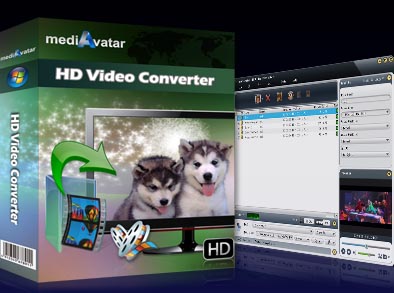
HD Video Converter

  • Convert between various HD video formats
  • Convert HD videos to other video formats
  • Extract and convert music and pics from HD Videos
  • Make videos playable on different digital devices
  • High conversion speed
$ 34.99$ 39.99
buy HD Video Converter

Seamlessly convert ordinary videos to HD-formats to share with your family and friends! mediAvatar HD Video Converter can easily convert between various HD video formats such as Full-HD 1080p, HD AVI, H.264/AVC, HD MPEG4 TS, HD MPEG2 TS, HD WMV, HD Quick Time, AVCHD (.mts, .m2ts). Additionally, you can also convert HD videos to other video formats incl. AVI, MP4, MPEG, ASF, MOV, RMVB, DivX, 3GP, RM, etc., extract music and pictures from videos as well as sharing them on virtually all digital devices easily and effortlessly. With this HD Converter you can also cut, clip and add personal touches like watermarks or other effects to your videos.

Download mediAvatar HD Video Converter for free now and convert HD videos according to your wishes!

Overview

  • hd video converter, hd converter, convert hd video

    HD video decoding and encoding

    Convert between HD videos like HD AVI, H.264/AVC, HD MPEG4 TS, HD MPEG2 TS, HD WMV, HD Quick Time, etc., to Standard Quality (SD) among other video formats.

  • hd video converter, hd converter, convert hd video

    General video and audio conversion

    This HD converter can also transform between general videos like AVI, MPEG, WMV, DivX, MP4, H.264/AVC, MKV, RM, MOV and XviD, extract audio from video and convert audios between each other.

  • hd video converter, hd converter, convert hd video

    Transformation from picture to video

    mediAvatar HD Video Converter easily can convert batches of pictures like JPG, GIF, BMP and PNG to a video and play it as a slideshow.

  • hd video converter, hd converter, convert hd video

    Video to picture conversion

    To save screenshots of scenes you like, just preview the video on the built-in player and save by using the Snapshot feature.

  • hd video converter, hd converter, convert hd video

    High conversion speed and top quality to convert video

    mediAvatar HD Video Converter auto detects your CPU to provide you with the highest conversion speed; the speed increases in accordance with your computer performance.

Awards:

Features

  • mediAvatar HD Video Converter

    Rich classified output formats

    All the output formats have been classified by the device for quick search and the HD converter assembles HD video formats in a group for you to choose at your convenience.

  • mediAvatar HD Video Converter

    Custom profile parameters

    Diverse parameters for video, audio and picture profiles can be easily and freely customized for both novices and advanced users. You can save the profile whose parameters have been customized for future use.

  • mediAvatar HD Video Converter

    Several formats for one file

    Save time by setting several different output formats from one file and convert simultaneously.

  • mediAvatar HD Video Converter

    Adjustable file size

    Set a specified file size by letting the bit rate calculator do the job for you.

  • mediAvatar HD Video Converter

    Trim and split file

    Any segment can be converted by setting start time and duration. Or split a file into several ones by customizing the file size or split time with the HD Video Converter.

  • mediAvatar HD Video Converter

    Run the HD converter in background

    This HD Video Converter supports running the HD converter in the background to save CPU resource as well as for other running programs.

  • mediAvatar HD Video Converter

    Multithreading and batch conversion

    The MTS/M2TS/TS HD converter supports multithreading and batch file conversion to cut back on the conversion time.

  • mediAvatar HD Video Converter

    Preview and snapshot

    The built-in player enables users to preview videos, and take snapshots of select video scenes and save them as picture files.

  • mediAvatar HD Video Converter

    After done actions

    Set an action (exit, hibernate, shut down or standby) after a task is done to avoid waiting and save time.

Reference

Output Device Support

iPad
iPod, iPod nano, iPod classic, iPod shuffle, iPod touch
iPhone, iPhone 3G, Apple TV
PSP, PS3
Xbox, Xbox 360
Google Android phones: Nexus One, HTC Hero, HTC G2 Magic, HTC Tattoo, Motorola Droid, Motorola CLIQ, Samsung i7500
General 3GP mobile phone, BlackBerry, etc.
General MP4 players: Archos, Creative Zen, iRiver, etc.
Window Mobile device: Pocket PC, Dell Axim X51, HP iPaq hw6500 series, etc.

Input File Format Support

Video AVI, MPEG, WMV, MP4, FLV, MKV, H.264/MPEG-4, DivX, XviD, MOV, M4V, VOB, ASF, 3GP, 3G2, SWF, H.261, H.264, DV, DIF, MJPG, MJPEG, DVR-MS, NUT, QT, YUV, DAT, MPV, NSV
AVCHD Video (*.mts, *.m2ts), H.264/MPEG-4 AVC (*.mp4), MPEG2 HD Video (*.mpg; *.mpeg), MPEG-4 TS HD Video (*.ts), MPEG-2 TS HD Video (*.ts), Quick Time HD Video (*.mov), WMV HD Video (*.xwmv), Audio-Video Interleaved HD Video (*.avi)
Audio MP3, WMA, AAC, WAV, CDA, OGG, FLAC, APE, CUE, M4A, RA, RAM, AC3, MP2, AIFF, AU, MPA, SUN AU Format
Image BMP, GIF, JPEG, PNG

Output File Format Support

Video AVI, MPEG, WMV, MP4, FLV, H.264/MPEG-4, DivX, XviD, MOV, RM, ASF, 3GP, 3G2, SWF, VOB, TS, DV H.264/MPEG-4 AVC (*.mp4), MPEG2 HD Video (*.mpg; *.mpeg), MPEG-4 TS HD Video (*.ts), MPEG-2 TS HD Video (*.ts), Quick Time HD Video (*.mov), WMV HD Video (*.wmv), Audio-Video Interleaved HD Video (*.avi)
Audio MP3, WMA, AAC, WAV, OGG, FLAC, APE, M4A, RA, AC3, MP2, AIFF, AMR, SUN AU Format
Image BMP, GIF, JPEG, PNG

SystemRequirements

SystemRequirements

OS : Microsoft® Windows XP (SP2 or later), Windows Vista, Windows 7
Processor : 1GHz Intel/AMD processor or above
RAM : 256MB RAM (512MB or above recommended)
Free Hard Disk : 30MB space for installation
Graphic Card : Super VGA (800×600) resolution, 16-bit graphics card or higher

Related Products