

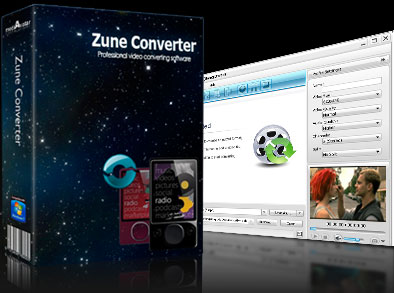

Zune Converter
- 5X faster in conversion by introducing NVIDIA® CUDA™ technology
- HD/SD Video to Zune MP4 converter
- Video to Zune audio extractor
- Zune audio converter
- Batch conversion and multithreading

Specially designed for Zune users, mediAvatar Zune Converter allows you to convert almost all video and audio formats to Zune supported formats such as Zune MP4, WMV, AAC and Zune MP3, WMA, M4A, etc. With this video to Zune converter, you can also turn your favorite photos into lively Zune video files or take snapshots from videos.
Additionally, there are many ways to achieve flexible outputs, like customizing the file size, trimming video, and splitting a large file into smaller ones, which makes your conversion easy and interesting. Simple in operation, excellent in quality, and fast in speed! Try mediAvatar Zune Converter now for FREE to experience your best Zune movie and Zune audio life.
 Output Device(s) & File Format(s) Support
 Output Device(s) & File Format(s) Support
Output Devices Supported |
|
| Zune, Zune4, Zune8, Zune16, Zune80, Zune120 | |
Input File Formats Supported |
|
| Video | VOB HD Video (*.vob), H.264/AVC HD Video (*.mp4), (DVD Video Files), MPEG4 HD Video (*.mp4), MPEG2 HD Video (*.mpg; *.mpeg), MPEG4 TS HD Video (*.ts), Quick Time HD Video (*.mov), VCD Video File (*.dat), WMV HD Video (*.xwmv), Audio-Video Interleaved HD Video (*.avi), M4V, SWF, MKV, DV, DIF, FLV, MJPG, MJPEG, MPG, MP4, MPEG, DVR-MS, NUT, MOV, QT, H261, H.264/AVC, RM, TS, RMVB, WMV, YUV, ASF, DAT, VOB, MPV, NSV |
| Audio | AAC, AC3, AIFF, CDA, APE, CUE, OGG, RA, AU, WAV, WMA, FLAC, MP2, MP3, MPA, RAM |
Output File Formats Supported |
|
| Video | MPEG-4 AVC, WMV, MP4 |
| Audio | MP3, WMA, AAC, M4A |
| Image | BMP, GIF, JPEG, PNG |
Free download mediAvatar Zune Converter now! It couldn't be easier!