
Current Page: Home > Products > Video to Audio Converter Bookmark and Share

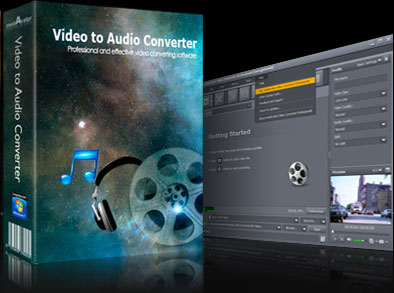
Video to Audio Converter

  • Extract audio from video
    A versatile audio converter
    Batch Video to Audio conversion
    High speed with multi-core CPU support


$ 19.99$ 25.99
buy Video to Audio Converter

Create a record of audio quotes from movies and videos by extracting audio from videos with mediAvatar Video to Audio Converter. Listen to just audio files from videos, learn dialogues through audios files or just listen to short video summaries on your mp3 players.

Various audio formats are available to convert to e.g.MP3, WMA, WAV, M4A, AAC and OGG, so that all mp3 players with different file-type requirements are supported. Decode audio APE/CUE without losing content and rip audio CDs.

Download mediAvatar Video to Audio Converter for free now. It couldn't be easier!

Overview

  • video to audio converter, convert video to audio


    Extract audio from video

    It can convert AVI to MP3, convert MPEG to MP3, , and convert MP4, WMV, H.264, MKV, AVCHD, DivX, ASF, M4V, 3GP, RM, FLV to MP3, WMA, WAV, RA, M4A, AAC, AC3, OGG and Sun AU audio.

  • video to audio converter, convert video to mp3

    A versatile audio converter

    This AVI to MP3 converter software is not only an audio extractor but also an audio converter that converts among different formats such as MP3, WMA, WAV, M4A, AAC and OGG.

  • video to audio converter, convert video to audio

    Batch Video to Audio conversion

    The video to audio converter helps you convert batch video and audio files all at the same time.

  • video to mp3 converter, convert video to audio

    High speed with multi-core CPU support

    Fast conversion speed supported by the video to audio converter due to the support for multi-core CPU.

Awards:

Features

  • mediAvatar Video to Audio Converter

    Video splitter

    The AVI to MP3 converter helps you split a large file into multiple smaller clips by setting split time or file size.

  • mediAvatar Video to Audio Converter

    Audio segment converter

    Convert any segment from your video or audio file by specifying the start time and duration.

  • mediAvatar Video to Audio Converter

    Multiple file outputs at a time

    To convert several files, you can add multiple profiles for one file to convert and get multiple outputs of the same content at the same time.

  • mediAvatar Video to Audio Converter

    Customize all the parameters

    Adjust video and audio parameters, such as bit rate, frame rate, sample rate, resolution, codec and channel.

  • mediAvatar Video to Audio Converter

    Bitrate Calculator

    With the built-in Bitrate Calculator, you can get the output file size, choose the audio bit rate and duration, and have the video bit rate calculator compress the file for you.

  • mediAvatar Video to Audio Converter

    After-done options

    Set after-done actions: exit, shutdown, hibernate and standby; avoid waiting and wasting time by setting auto-perform tasks.

  • mediAvatar Video to Audio Converter

    Support preview and snapshot

    Preview the original and the output video, take a snapshot of your favorite movie images and save them as JPG, PNG, BMP, GIF files.

Reference

Input File Formats Supported

Video AVI, MPEG, WMV, MP4, FLV, MKV, H.264/MPEG-4, DivX, XviD, MOV, RM, RMVB, M4V, VOB, ASF, 3GP, 3G2, SWF, H.261, H.264, DV, DIF, MJPG, MJPEG, DVR-MS, NUT, QT, YUV, DAT, MPV, NSV
AVCHD Video (*.mts, *.m2ts), H.264/MPEG-4 AVC (*.mp4), MPEG2 HD Video (*.mpg; *.mpeg), MPEG-4 TS HD Video (*.ts), MPEG-2 TS HD Video (*.ts), Quick Time HD Video (*.mov), WMV HD Video (*.xwmv), Audio-Video Interleaved HD Video (*.avi)
Audio MP3, WMA, AAC, WAV, CDA, OGG, FLAC, APE, CUE, M4A, RA, RAM, AC3, MP2, AIFF, AU, MPA, SUN AU Format
Image BMP, GIF, JPEG, PNG

Output File Formats Supported

Audio MP3, WMA, AAC, WAV, OGG, M4A, RA, AC3, MP2, SUN AU Format
Image BMP, GIF, JPEG, PNG

SystemRequirements

SystemRequirements

OS : Microsoft® Windows XP (SP2 or later), Windows Vista, Windows 7
Processor : 1GHz Intel/AMD processor or above
RAM : 256MB RAM (512MB or above recommended)
Free Hard Disk : 30MB space for installation
Graphic Card : Super VGA (800×600) resolution, 16-bit graphics card or higher

Related Products