
Current Page: Home > Products > iPad Video Converter Bookmark and Share

iPad Video Converter

  • Convert high-definition (HD) videos to iPad videos
  • Convert standard-definition (SD) videos to iPad videos
  • Extract iPad music from video formats
  • Convert audio formats to iPad MP3, WAV, AAC, AIFF format
$ 23.99$ 29.99
buy iPad Video Converter

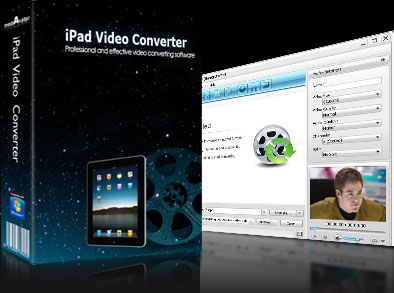
mediAvatar iPad Video Converter can convert movies and videos to play on your iPad so you can catch up on your movies even on-the-go. Enjoy excellent video and audio quality even after fast video to iPod conversion! Decode just about all popular HD and SD video formats such as AVCHD (*.mts, *.m2ts), H.264/MPEG-4 AVC, AVI, MPEG, WMV, DivX, MP4, MOV, RM, RMVB, ASF and 3GP which are converted into 720p H.264 HD or H.264 & MPEG4 & MOV formats.

Extra features: extract audio from videos on iPad; convert in multi-core processors; batch-conversion and multithreading.

Download mediAvatar iPad Video Converter for free now. It couldn't be easier!

Overview

  • ipad video converter, convert ipad video

    HD Video to iPad Converter

    Supports most HD video formats (including AVCHD (*.mts, *.m2ts), H.264/MPEG-4 AVC, MPEG-2 HD, MPEG-4 TS HD, MPEG-2 TS HD, Quick Time HD, WMV HD and AVI HD) as input, and converts them to iPad video in H.264 HD (720p), H.264 or MPEG4 format.

  • convert ipad video, convert video for ipad

    iPad Video Converter

    Converts just about all general video formats (such as MPEG, WMV, DivX, MP4, MOV, RM, RMVB, ASF, 3GP, and AVI) to iPad H.264 & MPEG4 & MOV videos.

  • convert video for ipad, ipad converter

    iPad Music Extractor, iPad Music Converter

    Extracts iPad music in MP3, WAV, AAC or AIFF format from video files; converts other music formats such as MP2, WMA, RA, AC3, OGG, APE, and CDA to iPad audio.

  • ipad video converter, convert video for ipad

    Picture to iPad Video Creator

    Put your favorite pictures together to create a photo-video to play on your iPad.

  • convert ipad video, ipad converter

    Video Image Snapper

    Batch capturing pictures from a video file at regular intervals or take a snapshot during video previews.

Awards:

Features

  • mediAvatar iPad Video Converter

    Multi-Core Processing, Multithreading, Batch Conversion

    Supports multi-core CPU processing; offers higher speed if you have enabled more CPU cores; converts multiple files to iPad videos and music at the same time.

  • mediAvatar iPad Video Converter

    Optimized Conversion Profiles

    All conversion profiles are optimized parameters. Choose one as the output format without changing any settings!

  • mediAvatar iPad Video Converter

    Rich Output Parameters

    The output parameters (such as bit rate, frame rate, sample rate, channel, codec, aspect ratio and so on) of any profile can be freely adjusted. You can save the modified parameters as your own profile.

  • mediAvatar iPad Video Converter

    Segment Extracting

    Just want a certain segment from a video? Set the clip’s start time and duration to extract and convert it to iPad video or music.

  • mediAvatar iPad Video Converter

    File Splitting

    Choose a preset split mode or customize your own split mode to split a file into several clips.

  • mediAvatar iPad Video Converter

    Multiple Outputs from One Original

    To save time set multiple conversion profiles for the same file and convert them simultaneously.

  • mediAvatar iPad Video Converter

    Free Output File Size Adjusting

    Adjust the output file size freely by entering the size you want in the Bitrate Calculator which will compute the corresponding video bit rate.

  • mediAvatar iPad Video Converter

    Auto Post-Conversion Actions

    Preset the converter to exit, shut down, hibernate or put on standby your system automatically after a task is complete.

  • mediAvatar iPad Video Converter

    Background Run

    Spare CPU resources for other important running applications by setting mediAvatar iPad Video converter to work in the background.

  • mediAvatar iPad Video Converter

    Multilingual Interfaces

    Available in four language interfaces: English, German, French, Spanish.

Reference

Output Devices Supported

iPad

Input File Formats Supported

Video AVI, MPEG, WMV, MP4, FLV, MKV, H.264/MPEG-4, DivX, XviD, MOV, M4V, VOB, ASF, 3GP, 3G2, SWF, H.261, H.264, DV, DIF, MJPG, MJPEG, DVR-MS, NUT, QT, YUV, DAT, MPV, NSV AVCHD Video (*.mts, *.m2ts), H.264/MPEG-4 AVC (*.mp4), MPEG2 HD Video (*.mpg; *.mpeg), MPEG-4 TS HD Video (*.ts), MPEG-2 TS HD Video (*.ts), Quick Time HD Video (*.mov), WMV HD Video (*.xwmv), Audio-Video Interleaved HD Video (*.avi)
Audio MP3, WMA, AAC, WAV, CDA, OGG, FLAC, APE, CUE, M4A, RA, RAM, AC3, MP2, AIFF, AU, MPA, SUN AU Format
Image BMP, GIF, JPEG, PNG

Output File Formats Supported

Video H.264 HD, H.264, MPEG-4, MOV
Audio MP3, AAC, WAV, AIFF
Image BMP, GIF, JPEG, PNG

SystemRequirements

SystemRequirements

OS : Microsoft® Windows XP (SP2 or later), Windows Vista, Windows 7
Processor : 1GHz Intel/AMD processor or above
RAM : 256MB RAM (512MB or above recommended)
Free Hard Disk : 30MB space for installation
Graphic Card : Super VGA (800×600) resolution, 16-bit graphics card or higher

Related Products